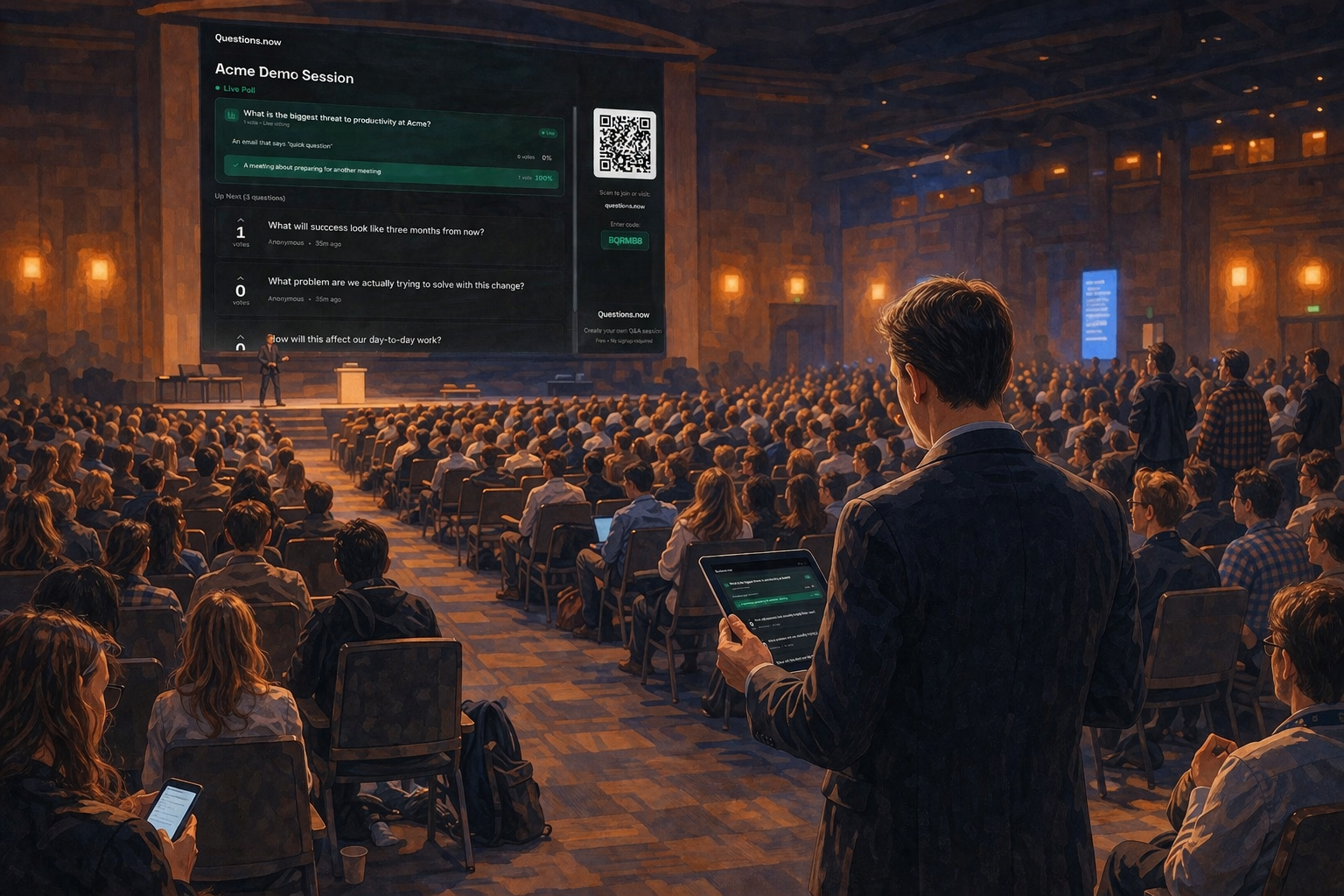
How to manage hundreds of audience questions without losing control of the room.
Why large-event Q&A breaks down
At a 30-person meeting, Q&A mostly takes care of itself. Someone raises a hand, asks a question, the speaker responds. The whole thing feels like a conversation.
At 500 people, that model falls apart. A few things go wrong simultaneously: most of the audience can't see a roving microphone coming their way, people self-censor because standing up in front of hundreds of strangers feels exposed, and the loudest voices (not the most relevant ones) tend to dominate. The few questions that do get asked tend to be long, unclear, or thinly disguised comments from whoever happened to grab the microphone first.
The result is predictable: three confident people ask the only questions, two of which are thinly disguised comments, and 497 people sit in silence wondering whether they should have attended.
Good moderation fixes this. But it requires a different approach from the one that works in smaller rooms.
The moderator's job
Most first-time moderators think their job is to call on people with raised hands and keep time. Those things matter, but they're the mechanics, not the point.
At a large event, the moderator is doing three things at once: curating which questions reach the speaker, translating audience energy into a workable conversation, and protecting the room's time from being consumed by a handful of individuals.
The Stand & Deliver consultancy, which has trained moderators for hundreds of conferences, puts it simply: the moderator should avoid having audience members line up at microphones, because this prevents on-the-spot follow-up from people who feel strongly but aren't next in line (Stand & Deliver, Top Ten Moderating Tips). The alternative (collecting written questions and selecting the strongest ones) gives the moderator discretion without shutting anyone out.
The three hats you're wearing
Curator. You're deciding which questions get airtime. This means reading submitted questions quickly, grouping similar ones, and choosing the ones that serve the most people in the room.
Translator. Sometimes a question is poorly worded but the underlying concern is important. Your job is to rephrase it for clarity without changing the intent. "I think what the audience is asking here is…" is one of the most useful sentences a moderator can say.
Timekeeper. Speakers will overrun. Audience members will monologue. Your job is to enforce time boundaries kindly but firmly. "Thank you. Let me make sure we get to a few more questions" is enough.
Before the event: preparation that matters
Briefing the speakers
Speakers who know how the Q&A will work perform better during it. At minimum, tell them: how long the Q&A segment will be, how questions will be collected (by hand, written cards, or a digital tool), and that you'll step in if a question needs rephrasing or if time is running short.
Most moderators are brought in too late. Professional moderator Angelica Malin, who has hosted over 150 events, describes being involved in the planning stages as one of the biggest factors in a successful session. Pre-event prep calls with organisers and speakers let the moderator understand the event's objectives, the audience profile, and how Q&A should flow before anyone steps on stage (Angelica Malin, LinkedIn).
Schedule a 15-minute call or meeting with each speaker beforehand. Cover three things: the topics they want to address, the questions they'd prefer to avoid (and why), and how they'd like to be interrupted if they're running long.
Coordinating with AV
If you're projecting audience questions on a screen, the AV team needs to know which screens to use, when to switch to the Q&A view, and who controls the display. Decide whether questions will appear on the main stage screen, side screens, a confidence monitor, or some combination. The confidence monitor is useful for speakers because they can see the next question without turning away from the audience.
Preparing seed questions
Silence at the start of Q&A is common and uncomfortable. Have two or three questions ready. You can attribute them honestly: "A question that came in before the session…" or "Something I've been hearing from attendees today…" This gives the room permission to start participating.
Collecting questions at scale
At small events, a raised hand works fine. At 500+ people, you need a system.
Option 1: Roving microphones
The traditional approach. An assistant carries a microphone to audience members who raise their hands. This works, but it's slow, biases toward people sitting on the aisle, and creates the risk of long, rambling contributions from the floor.
If you use this method, brief the mic runners: hand the microphone to the person, wait for the question, then take it back. Don't let the questioner hold onto the mic.
Option 2: Written question cards
Distribute index cards and pens. Audience members write their questions and pass them to the aisle, where assistants collect them and bring them to the moderator. This is anonymous by default, scales well, and gives you the ability to filter. The downside is lag time. Collecting physical cards takes minutes.
Option 3: Digital Q&A tools
Audience members submit questions from their phones. Questions can be upvoted, sorted by popularity, and moderated before they appear on screen. This is the fastest method at scale, and it eliminates the bias toward whoever happens to be sitting near a microphone.
The main risk with digital tools is that the audience splits its attention between their phones and the stage. Mitigate this by projecting the top questions on the stage screen, so the phone becomes a submission device, not a distraction.
A hybrid approach
Many experienced moderators combine methods: open a digital Q&A 10 minutes before the session ends so questions accumulate while the talk is still happening, then take one or two verbal questions from the floor between digital ones. This gives both the shy and the bold a path to participate.
Filtering and prioritising in real time
At a 500-person event with a digital Q&A tool, you might receive 40–80 questions in a 15-minute window. You can't address all of them. Here's how to sort.
Group by theme, not by timestamp
Reading questions in the order they arrive is a trap. You'll answer four variations of the same question while missing others entirely. Instead, scan the queue and cluster questions by topic. Then pick the most clearly written version from each cluster and address it.
Use upvoting as a signal, not a rule
If your tool supports upvoting, the most popular questions are worth knowing about. They reflect what a large portion of the room wants answered. But don't slavishly follow the upvote ranking. Sometimes the most important question has three votes because it was submitted late.
Filter out non-questions
At every large event, a percentage of submissions will be comments, complaints, or self-promotion rather than questions. Set moderation on from the start. You don't need to publish every submission. You need to surface the ones that will move the conversation forward.
Working with speakers and panelists
Giving speakers time to think
Don't rapid-fire questions. After reading a question aloud, pause for a beat before the speaker responds. If the question is complex, say: "Take a moment with that one." Speakers give better answers when they're not performing under pressure to respond instantly.
Redirecting long answers
If a speaker is going deep on one question and you have 12 more in the queue, step in gently: "That's really useful. I want to make sure we cover a few more. Let me grab the next one." Most speakers appreciate the interruption because they've lost track of time.
When speakers dodge a question
It happens. The question is uncomfortable, or the speaker doesn't have a good answer. If you notice it, you can offer a lifeline: "I think the question was specifically about [X]. Can you speak to that?" This gives the speaker a second chance without embarrassing them, and it signals to the audience that you're on their side.
Handling difficult questions
The hostile question
Occasionally, someone uses Q&A as a platform for a grievance. Diane Windingland, writing in Toastmasters Magazine, recommends cutting in when the person takes a breath: "Excuse me, do you have a question?" If they continue with commentary, offer to speak afterward and move on (Windingland, "Handling the Q&A Session With Confidence," Toastmasters Magazine, 2021).
Don't engage in a debate. Your job is to keep the session productive for the full room, not to resolve one person's dispute.
The off-topic question
"That's an interesting question, but it's outside the scope of this session. [Speaker], if you're able to address it afterward, I'm sure [questioner] would appreciate it." Then move on.
The question nobody understands
Rephrase it: "If I'm understanding correctly, you're asking about [X]?" If the questioner confirms, direct it to the speaker. If they don't, ask them to try again briefly.
The last 10 minutes
This is where most Q&A sessions go wrong. The moderator either runs out of time abruptly or lets the session drift past its end time.
Set a mental alarm for 10 minutes before the end. At that point, announce: "We have time for about three more questions." This sets expectations for both the audience and the speaker. Pick your final three carefully. End on one that's forward-looking or constructive rather than a complaint.
Close with a brief summary: "We covered [X, Y, and Z]. Thank you to [speaker] and to everyone who submitted questions." If there were unanswered questions, mention that you'll follow up (and then actually do it).
After the session: what to do with unanswered questions
If you used a digital Q&A tool, you now have a record of every question the audience submitted, answered and unanswered. This data is worth acting on.
Follow up on unanswered questions
Export the full list. Group by theme. For questions that have clear answers, post them in a follow-up email or on the event's website. For questions that need the speaker's input, send them to the speaker with a deadline.
Share what you learned with organisers
The question data tells you what the audience cared about, and often reveals topics that the event didn't cover well enough. If 30% of questions were about a single topic that wasn't on the agenda, that's useful feedback for planning next year's programme.
Checklist: moderator's run-of-show
Two weeks before:
- Confirm Q&A format with event organisers (length, method, screens)
- Brief speakers on format and expectations
- Prepare 3 seed questions
Day before:
- Walk the room with AV team; confirm screen setup and confidence monitors
- Test the digital Q&A tool (if using one) end-to-end
- Brief mic runners or question collectors
During the session:
- Open Q&A collection 10 minutes before the Q&A segment
- Group questions by theme as they arrive
- Filter out non-questions and duplicates
- Announce remaining question count at the 10-minute mark
- Close with a summary and a follow-up commitment
After the session:
- Export and review all submitted questions
- Send unanswered questions to speakers within 48 hours
- Share question themes with organisers for programme feedback
If you're running Q&A at scale and want a tool that handles submission, upvoting, moderation, and export in one place, Questions.now is built for exactly this kind of session.