Every session has a unique link and QR code that participants can use to join instantly — no account required. Here's how to share access with your audience.
Step 1: Open the Share dialog
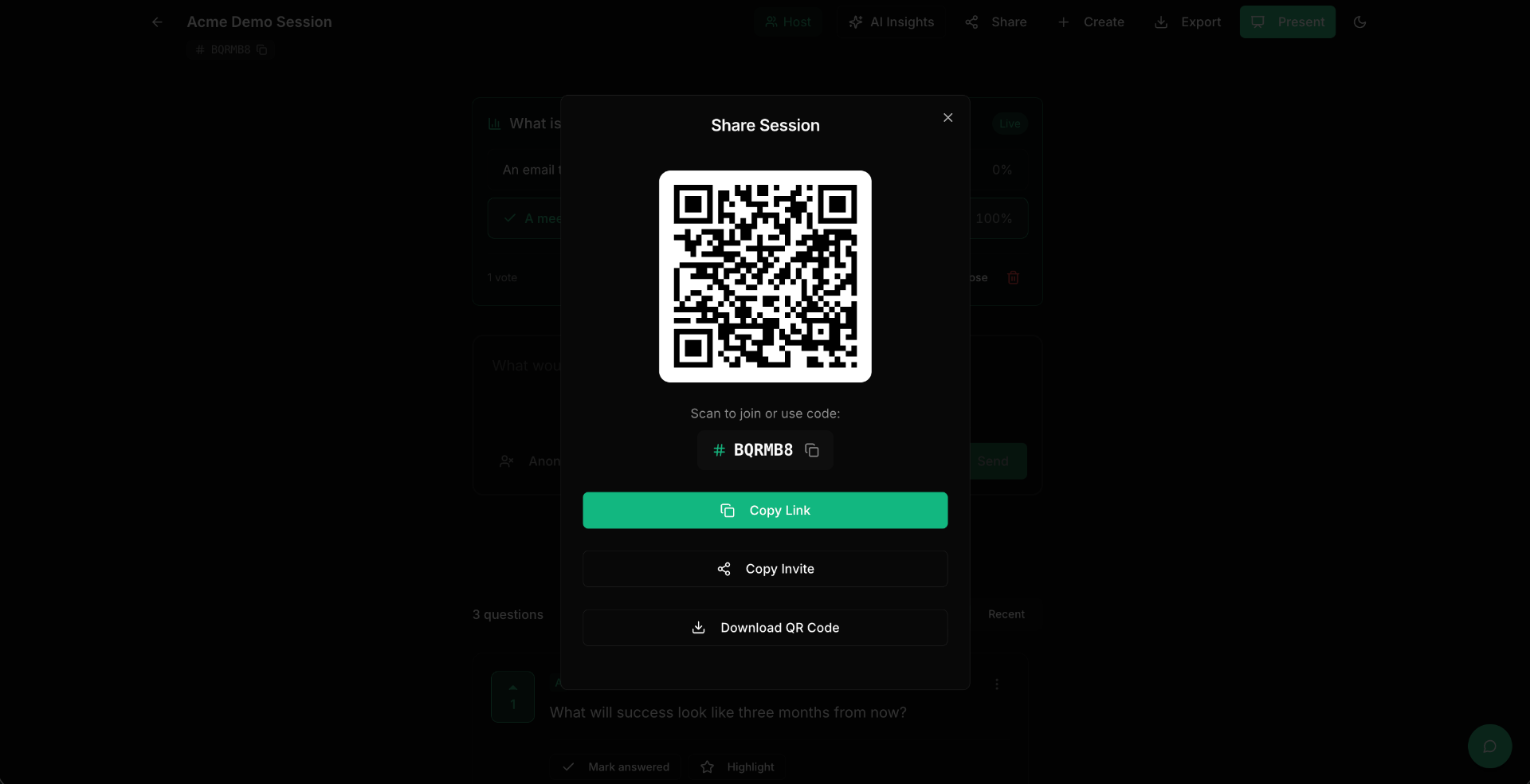
After creating a session, you'll see it on your Dashboard as a card showing the session code. To access all sharing options, click into the session and then click the Share button at the top.
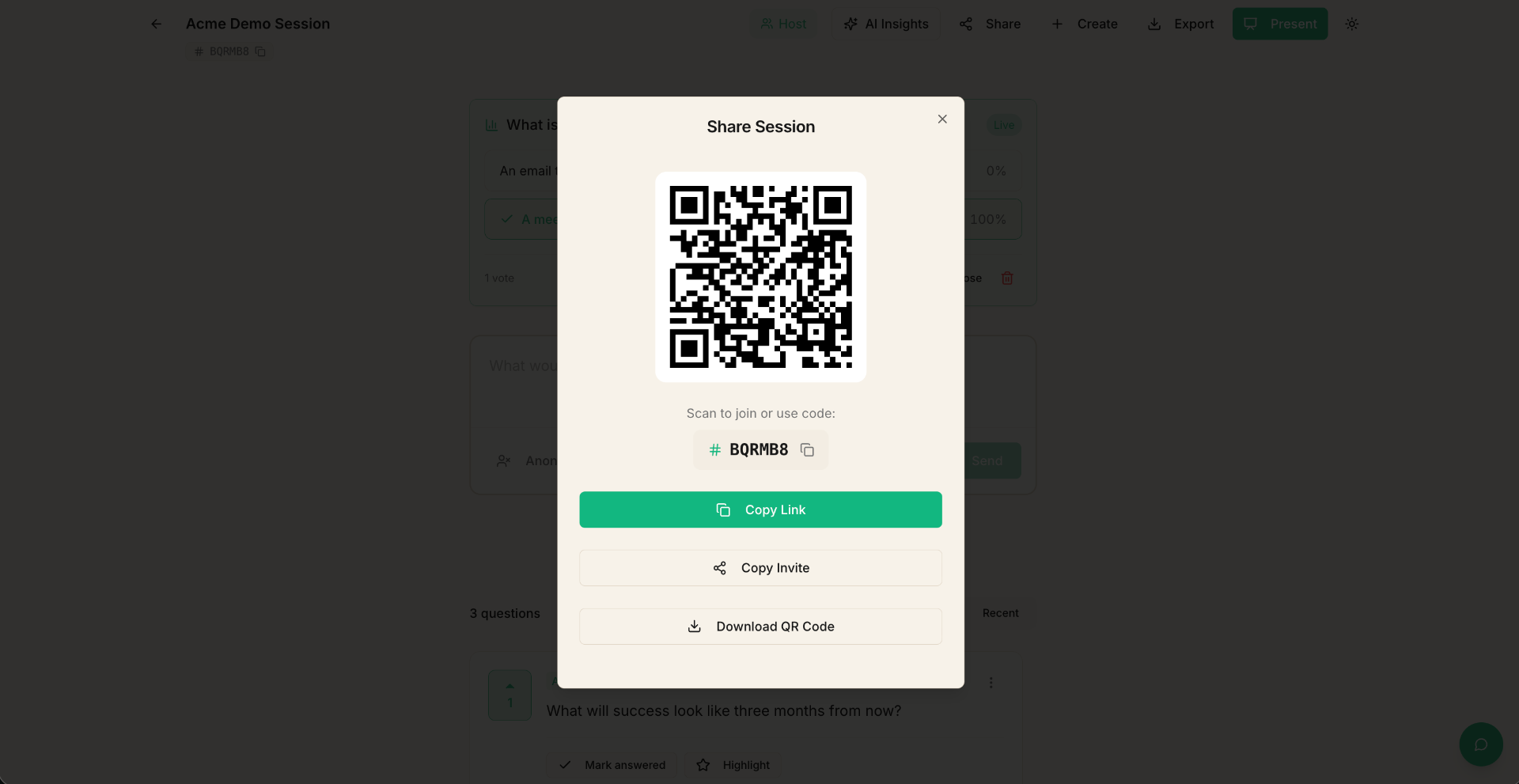
The Share dialog gives you everything you need to invite participants:
- The session code — a short, memorable code participants can enter on the site.
- A direct link — a URL that takes participants straight to your session.
- A QR code — scannable from any phone camera.
- Invite details — copy-ready text to paste into chats or emails.
Step 2: Choose how to share
Pick the method that works best for your event:
For in-person events
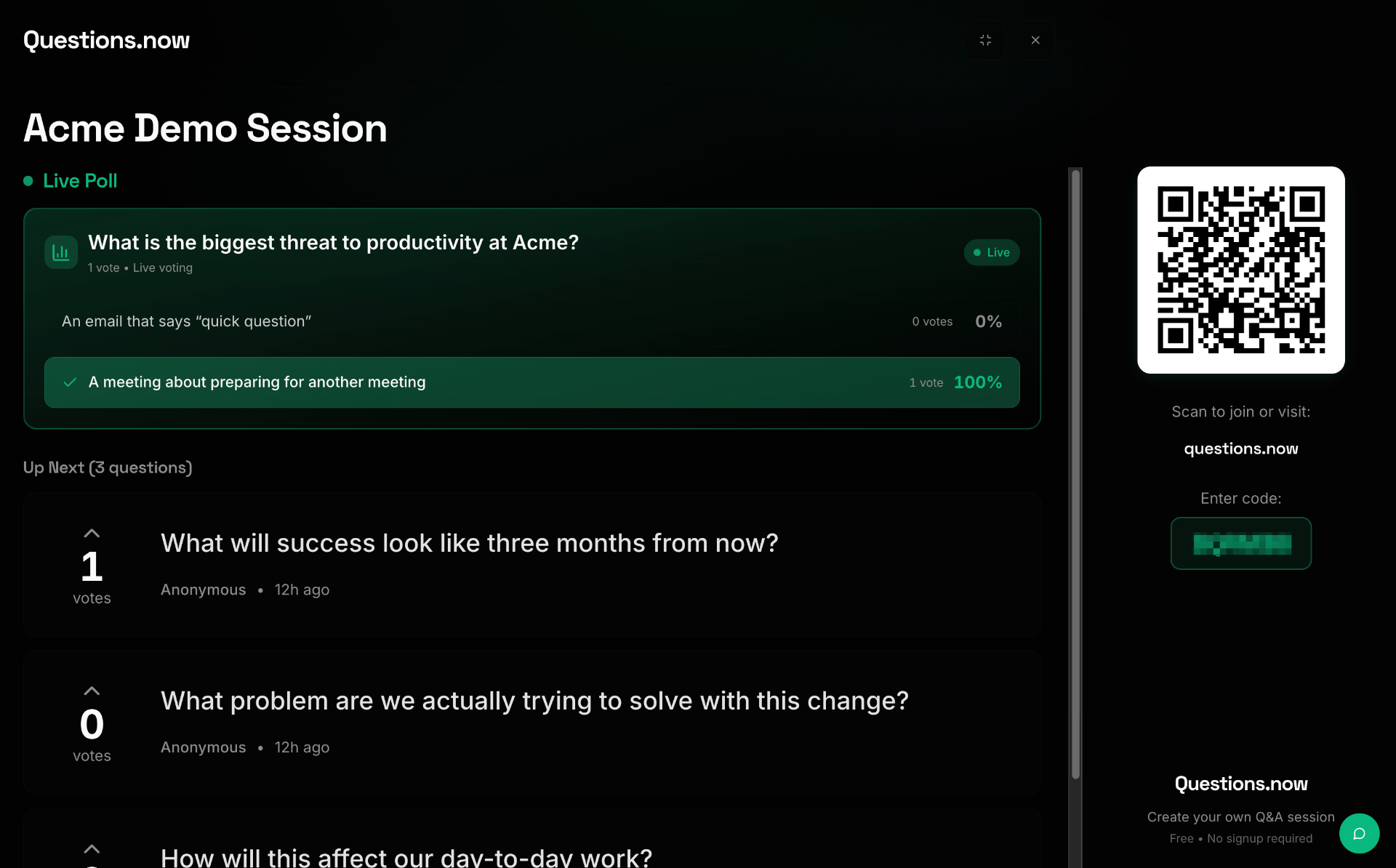
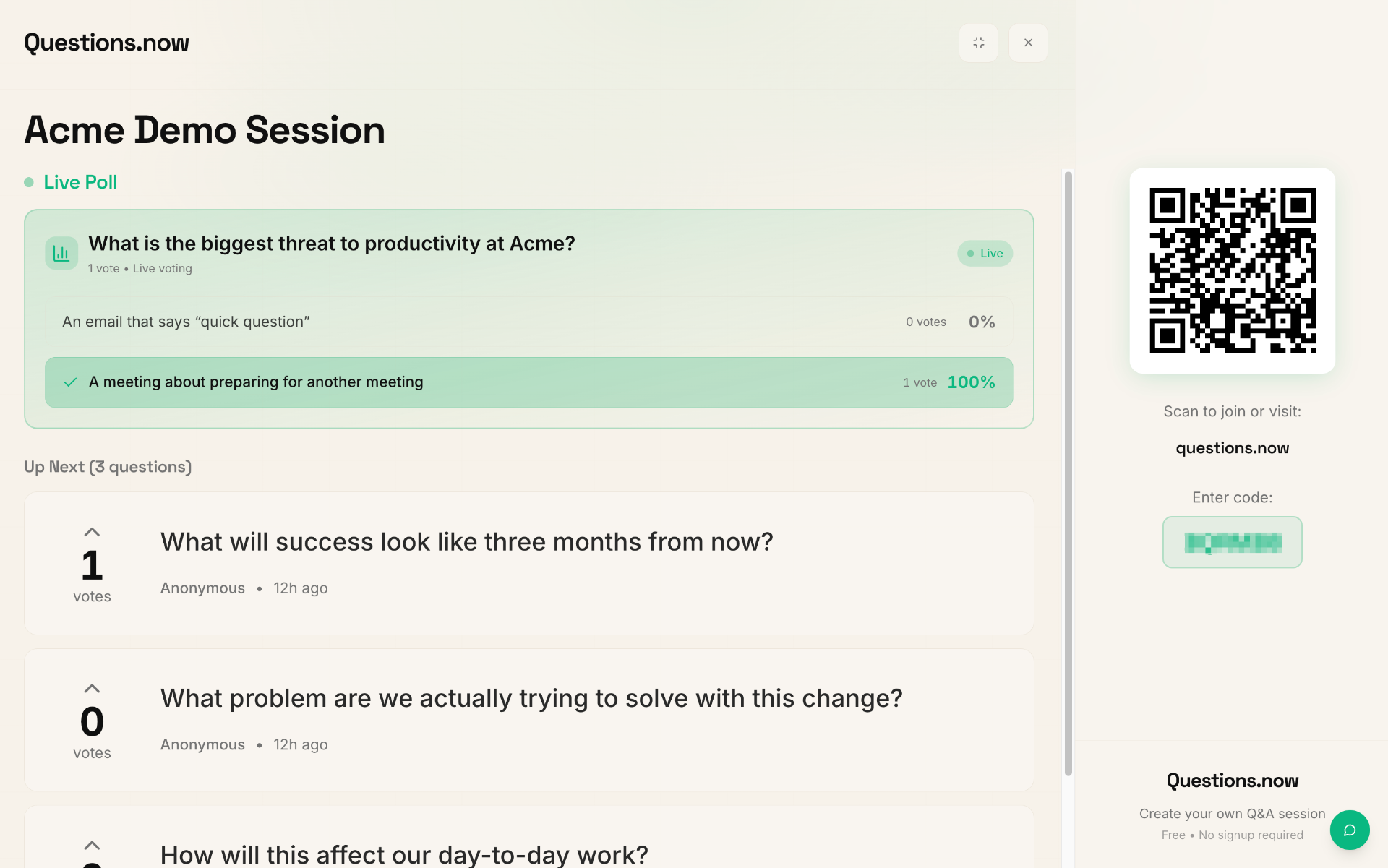
- Project the QR code on screen at the start of your event. Participants can scan with their phone camera to join instantly.
- Include the session code on a slide. Participants visit the site and enter the code.
- Keep the QR code visible throughout your event — people join at different times.
For virtual events
- Paste the direct link in the meeting chat (Zoom, Teams, Google Meet, etc.).
- Share your screen briefly to show the QR code or session code.
- Email the link to participants before the event so they can bookmark it.
For hybrid events
- Use a combination: project the QR code for in-person attendees and paste the link in the video chat for remote participants.
Step 3: Remind your audience
Don't just share once. Remind participants:
- At the start of your session: "Scan the QR code or visit the link to ask questions."
- After 10-15 minutes: "Don't forget to submit and upvote questions."
- Before the Q&A block: "Last chance to submit your questions!"
Tips
- Participants don't need an account to join — they can start asking questions immediately.
- If you've enabled password protection, share the password separately (e.g., verbally or in a private channel).
- The session link stays the same, so you can share it before the event and participants can submit questions early.