AI Insights automatically analyze the questions in your session to surface themes, sentiment, and key topics. You can use these insights live during a session or generate a full downloadable report afterward.
Step 1: Open AI Insights
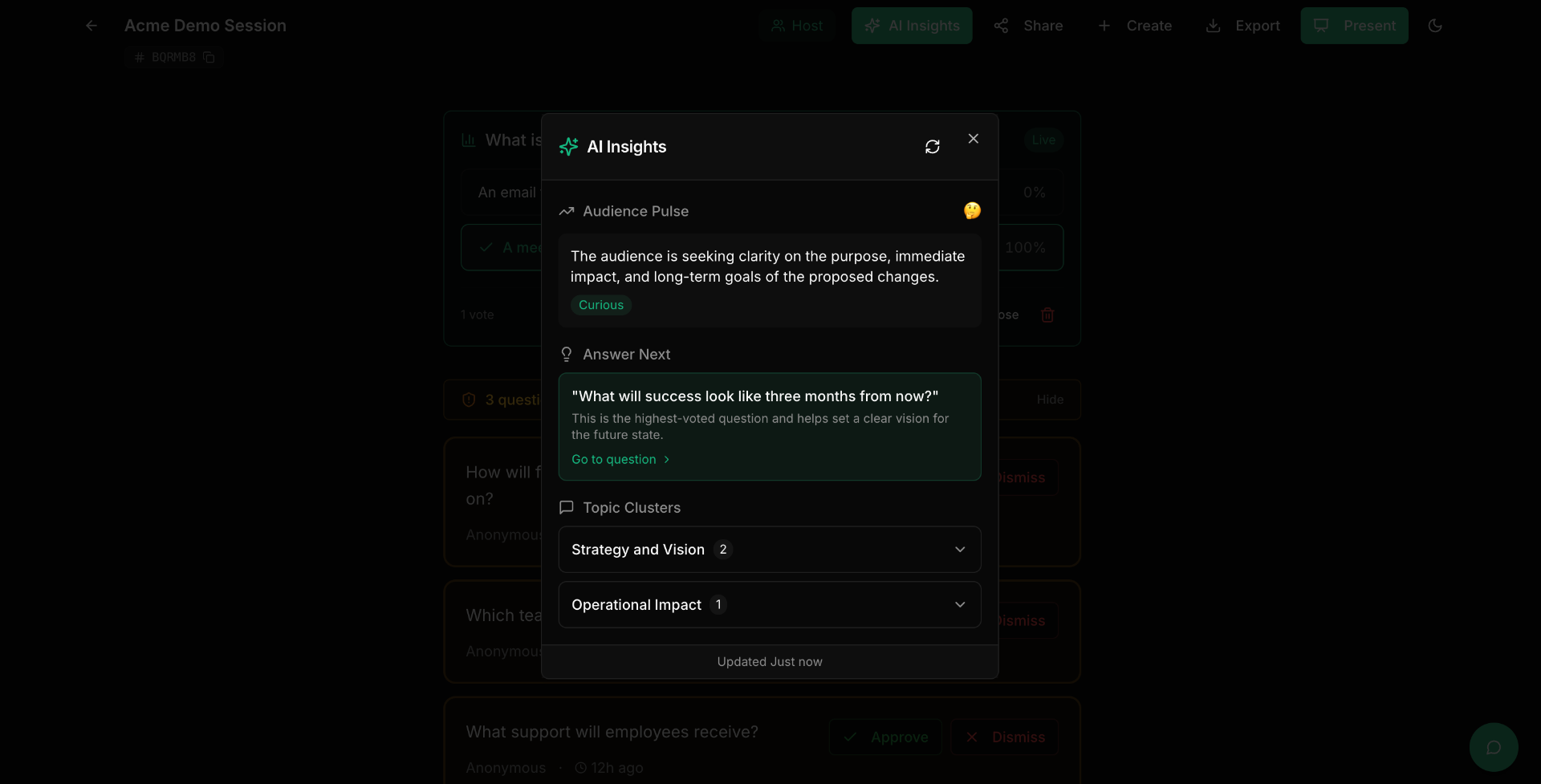
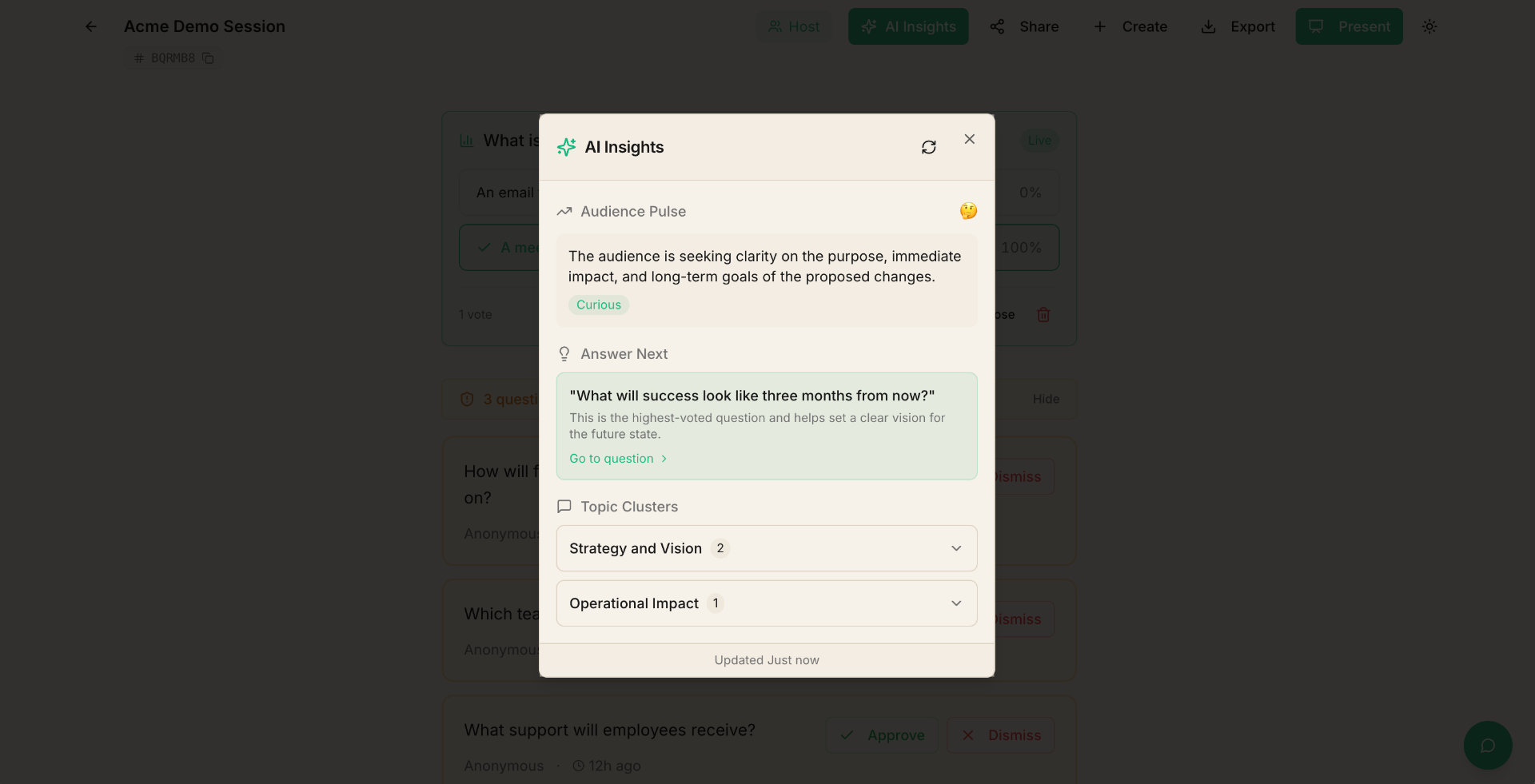
In your session view, look for the "AI Insights" panel. This is available on Pro sessions once you have a few questions submitted.
Step 2: Review themes and analysis
The AI groups questions into themes — common topics that multiple participants are asking about. For each theme, you'll see:
- A theme name summarizing the topic.
- The number of related questions.
- Key questions that represent the theme.
This helps you quickly understand what your audience cares about most, even in sessions with dozens or hundreds of questions.
Step 3: Generate a session report
Click "Generate Report" to create a comprehensive AI-powered report. The report includes:
- Executive summary — a high-level overview of the session.
- Theme breakdown — detailed analysis of each topic cluster.
- Sentiment analysis — whether questions leaned positive, negative, or neutral.
- Key metrics — question count, participation stats, engagement levels.
- Recommendations — suggested follow-up actions based on the questions asked.
Step 4: Export your report
You can export your session data as a PDF that includes the AI analysis alongside all questions and poll results. Use the "Export" button in your session view.
Tips
- AI Insights work best with 5+ questions — the more data, the better the analysis.
- You can regenerate insights at any time to get an updated analysis as new questions come in.
- Session reports are saved and can be accessed later from your session.
- Use the theme analysis during your event to address the most common concerns first.
- AI Insights are available on Pro sessions. Upgrade from your dashboard if you're on a free plan.